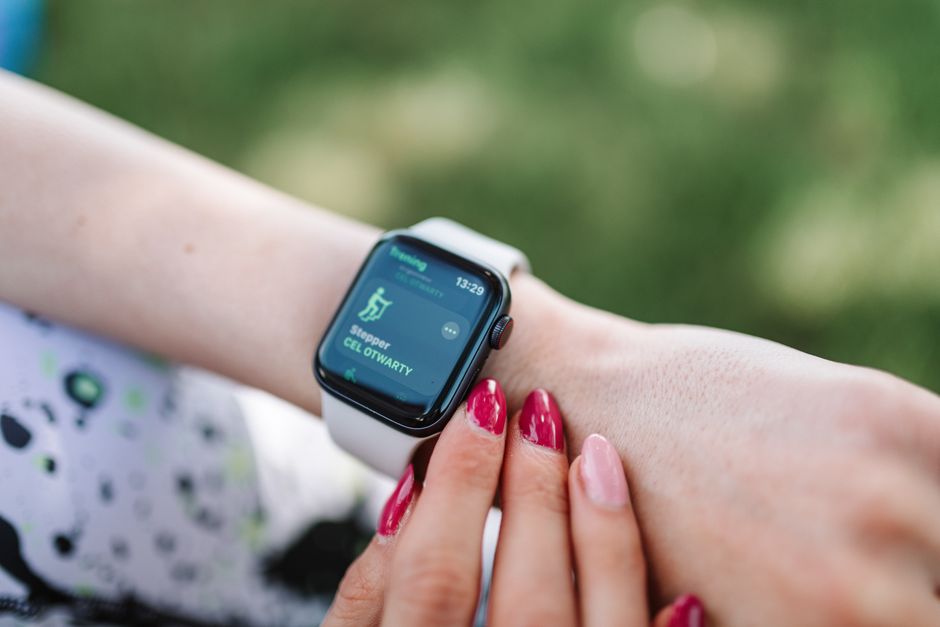
A fitness tracker given as a present can create an unexpected job: someone has to pair it, explain the app, organise charging and answer questions when the screen looks unfamiliar. For the Livikey fitness tracker, a useful approach is to treat that handover as part of the gift. A few thoughtful choices can help the person wearing it feel comfortable using its everyday features without turning their wrist into another source of demands.
This guide focuses on setting up and handing over a Livikey for a family member or friend, then keeping it manageable. The original product description includes a colour display, Bluetooth pairing through the VeryFit app, step counting, heart rate information, sleep estimates and phone notifications. Exact features can vary between versions, so use the instructions supplied with the particular device as your reference.
Start with the person who will wear it
Before opening settings, ask what the recipient actually wants from the band. They might want to see the time during a walk, glance at steps after an ordinary day, or notice an incoming call while their phone is in a bag. One clear purpose makes the first explanation easier to remember.
A gift does not create an obligation to share activity records. Ask whether they want help with setup and whether they want anyone else seeing their information. If they would rather use fewer features or leave the tracker off sometimes, build the setup around that preference.
Check the everyday practicalities
- The phone: Check the current app requirements against the recipient’s own phone before relying on compatibility claims in an older listing.
- The screen: Let the wearer check whether the text and symbols are comfortable to read in their usual surroundings.
- The fastening: Make sure they can put the band on and remove it without struggling.
- The charging place: Choose somewhere accessible where the cable will be easy to find.
If reading the display or fastening the strap is difficult, resolve that before spending time customising menus. A longer explanation cannot fix a device that is awkward for its wearer to handle.
Pair it with the recipient’s phone
Using the helper’s phone may seem convenient, but it can leave the wearer dependent on someone else’s account, Bluetooth connection or notifications. Where the recipient agrees, set up the tracker with their own compatible phone and an account they control. Let them enter passwords themselves.
The original description identifies VeryFit as the companion app. Confirm the app name using the supplied manual or packaging rather than downloading an app with a similar name. Follow the device instructions for charging and pairing; avoid assuming that every Livikey model uses exactly the same sequence.
- Charge the device according to its instructions before beginning the handover.
- Install the specified companion app on the recipient’s phone.
- Follow the pairing prompts with the tracker and phone nearby.
- Check that the displayed time and the chosen units make sense to the wearer.
- Show them how to open the app and recognise whether the tracker is connected.
Keep the packaging and instructions together until setup is complete. If the app or menus differ from an online description, use the documentation for the actual unit rather than forcing a sequence intended for another version.
Make privacy choices together
Activity records, sleep estimates and notification previews can reveal personal information. Explain permission requests as they appear and let the recipient decide which optional functions they want. A request to access phone information deserves a moment of attention, even when setup feels routine.
For example, message previews may be convenient at home but unwelcome when someone else can glance at the screen. Start with only the notifications the wearer asks for. If the relevant settings are available, show them how to hide previews or turn alerts off. Menu names and available controls may depend on the phone and device version.
If you are helping remotely later, ask the wearer to describe the problem without sending passwords or screenshots containing private messages. Hands-on help should leave them with control of their device and information.
Teach a small set of repeatable actions
A complete tour of every menu can be harder to remember than a short practice session. Begin with finding the time, viewing steps, returning to the main screen and opening the app. Demonstrate each action, then let the wearer repeat it while you watch.
Choose an ordinary moment for practice, such as preparing for a familiar walk. Show how to find a relevant activity mode if the device offers one, and how to stop or leave it afterwards. Avoid treating the number of sport modes as something the recipient needs to master.
Leave a useful reminder
A short note can record where the charger lives, which app to open and where the instructions are kept. Describe controls using the wearer’s own words. Do not include account passwords. The aim is to make the next routine action possible without another full demonstration.
Explain the numbers without creating pressure
Introduce readings as estimates that provide context, rather than scores the recipient must improve. A step total does not capture every kind of movement, and a missing record may reflect time off the wrist or a connection problem. Avoid turning a low count into a judgement about effort.
Sleep information also needs a light touch. Encourage the wearer to consider how rested they feel alongside anything the app displays. They do not need to change their evening routine because of one unfamiliar sleep label or chase a perfect graph.
A consumer tracker is not a substitute for medical assessment. Heart rate or blood oxygen features should not be used to diagnose a condition, change medication or decide that symptoms are harmless. If the recipient has concerns about readings or an ongoing health condition, suggest discussing them with a GP or pharmacist. Anyone unsure about starting new exercise should seek appropriate professional advice.
Build charging and strap care into the handover
Show the wearer how the supplied charger connects and how to recognise the charging indication. Choose a convenient charging opportunity rather than promising a fixed number of days between charges. Settings and usage can affect how frequently charging is needed.
Follow the manufacturer’s cleaning guidance, and keep the device and charging contacts dry before connecting power. After sweaty wear, remove the band as needed so the skin and strap can be cleaned and dried appropriately. The strap should feel secure without pinching; tightening it excessively is not a solution to an unexpected reading.
The original description lists an IP68 rating. Check the particular model’s water-use instructions before showering or swimming with it. A rating alone is not permission for every water activity. Stop wearing the band if it causes irritation, and seek advice if the problem persists.
Agree on a simple support routine
If information appears missing, first check whether the tracker has power, whether Bluetooth is enabled and whether the companion app shows a connection. Follow the supplied troubleshooting instructions before resetting anything. Removing an account or resetting the device may affect stored information, so explain the proposed action first.
After the recipient has used the Livikey for a while, ask which features they enjoy and which feel distracting. Adjust optional alerts together if they want help. A successful handover leaves the wearer able to manage the basics, ask for support when needed and choose how much tracking belongs in their day.